Posts tagged as:

Blogging

Scribe SEO Plugin: Love at First Site

by joi on February 25, 2010

in Articles, Blogging

Yankee legend Mickey Mantle worded it this way:  “It’s unbelievable how much you don’t know about the game you’ve been playing all your life.” - Mickey Mantle

Starbucks legend Joi words it this way:Holy cats. I didn’t know what I thought I knew.

Funny, isn’t it? You can do something for what seems like your whole life and then suddenly realize that you didn’t know quite as much as you thought you did.  It happened to me recently and I’m still reeling.  You might think this would be a distressing, sickening feeling but, truth be told, I’m completely invigorated and excited.

Knowledge does that to me.  Especially when it comes bearing fruit such as new horizons, fresh opportunities, and unlimited possibilities.

As you know, I’ve been working online for well over 12 years.   Currently, I have 14 blogs and websites.   When it comes to traffic, generating income, and so on – the majority of them do quite well.   They’re like kids.  Some are over-achievers, some are under achievers, and some are so quiet, I forget they’re even in the room.

Since I work from home, I”m allowed the luxury of researching seo (search engine optimization), themes, plugins, and so forth.  I know (and use) the best themes online and work hard to stay on top of the best plugins, optimization practices, and so on.  Quite honestly, I thought I was sitting on a seriously impressive amount of information and skill.  Then…..

Holy cats! I didn’t know what I thought I knew.

I recently installed the Scribe SEO Copywriting Made Simple plugin on a few of my blogs and have been overjoyed with what I’ve seen so far.   I want, not only to make my future posts and articles as SEO-friendly as possible, but to go back to older posts and perk them up as well.  You know, the early posts of a blog when you didn’t even know what SEO or Meta Descriptions were.   These old posts can still get traffic and they still have a lot to offer – but they’ll never reach their potential if no one knows they’re there.

Originally, I was going to use Scribe SEO  for a few weeks, or even a month, and see if the results were impressive enough to recommend to my readers.  As you know if you read Self Help Daily regularly, I absolutely, positively am not in the hait of recommending very many products or services. One of the reasons for this is that when I do – I want you to know I flat out mean business.  It’s also a personal thing, I hate, loathe, and despise any newsletter or blog that sees me as nothing but a dollar tree with nothing but bracelets and money on its branches.   If a product, tool, theme, or service convinces me that it could help some of the people I value the most (my readers) – I’ll share it with them.  But I hold these things under a magnifying glass for quite a while first.

The problem with this original “wait and see” plan was that I fell in love with Scribe on the first date.  Indeed, it was love at first site.

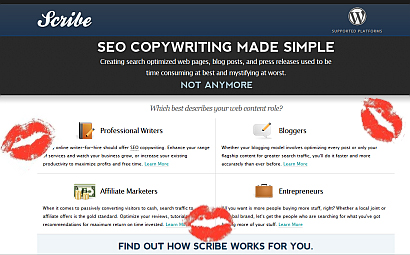
From Scribe SEO.com

In the old days, a scribe was a writer entrusted to record the most valuable and important information for kings, nobles, and cities.

These days, Scribe™ helps writers create content that gets found online, and that’s become as valued and important as any old scroll or parchment.

Scribe is an SEO software service for WordPress that analyzes the content of web pages, blog posts, online press releases, you name it… at the click of a button

One of the first blogs I installed Scribe on was my Kentucky blog, Genuine Kentucky.  This site does pretty well in search engines and I normally rank pretty well for my keywords.  But “pretty well” isn’t a goal I set for anything I do and I’m certain it isn’t one of your’s either.

Because I have a high number of niche sites combined with the fact that I love knowledge, I have been a huge fan of Google News Alerts since day one.  I subscribe to a great number of news alerts covering different areas of interest.  I use a lot of the different “keywords” and “subjects” that are relevant to my blogs.  The Google news alerts come into my e-mail and serve as taps on the shoulder telling me, “You’ll find this interesting…

After installing and using Scribe on just ONE post on Genuine Kentucky, something happened that had never happened before:  My showed up in the Google News Alert for the main keyword.  One post.  That very day.  I have never had this happen before.  And I thought I knew so much.  Hmph.

This post also showed up better in Google for its keywords than normal – and faster.

Scribe is as easy to use as pouring a cup of coffee.  After installing and activating (easy, easy, easy), you simply write your post, article, or page as you normally would.  The Scribe Content Optimizer shows up on the right with the other WP-Admin widgets (Post Tags, Categories…).  When you think you’re finished, click the button that says Analyze.  In a few seconds, Scribe lets you know what you’ve done well and what you could improve upon.

Scribe led me to make a few changes to this particular post and basically slapped it on the backside and sent it in Google’s direction.  Something that I want to see happen again and again and again.

Before installing Scribe, I knew it was going to be fantastic.  Brian Clark (Copyblogger) is behind it and he would never put his name on anything that wasn’t 100 percent golden.  Because of this, he has a reputation online that few attain and all desire.   However, over the years I’ve seen a lot of tools and services come around the bend.  Most of the time, you get either what you expected or less than you expected.  This is one of the few times when I got far more than I expected.

What Scribe Can Do For You

Okay, let’s get down to the heart of the matter.  I know a lot of my readers are bloggers.  I know a lot of you are very talented and successful authors with blogs and websites of your own.  I also have quite a few publicist friends who follow Self Help Daily.  While all of you are, no doubt, happy for me and my little Kentucky blog, you’re no doubt wondering, “What can Scribe do for me?”

  • Scribe can help you rank better in the search engines – The better you rank, the more people will find you.
  • Scribe can free up the time you have to spend actively looking for visitors, buyers, prospects, etc.  This SEO tool will cause people to come to you rather than you having to go to them.
  • Scribe will give you a valuable education in SEO, keywords, meta descriptions, copywriting for search engine optimization, and so on.  If you desire a strong online presence and following, this education is priceless.
  • You won’t have to wonder if you did “this” or “that” right – Scribe will let you know… all with the click of one button.

Scribe as Your Own Personal SEO Assistant

I work online all day.  Everyday. I also am an avid cook who isn’t quite happy if she can’t spend at least a couple of hours each day cooking.  Add to this a house that refuses to clean itself, cats that think it’s always the right time to play, movies that must be watched, shopping that must be done,  articles to write, daily exercise, and a host of other things that fall under the category LIFE.  Because of the blissful business, I’ve often thought, “How cool would it be to have an assistant?!“  Because I’m not trained in the ways of search engine optimization, the assistant in my fantasies always was an SEO genius.  And worked for free.  Well, I’d give her all the coffee she could drink.

Now I have my assistant and I don’t have to share my coffee.  The Scribe Content Optimizer is a virtual SEO assistant – sitting right beside you as you work, giving you advice and coaching you in the ways of  SEO.  What’s more, Scribe is very inexpensive.   I know for a fact that it could be priced higher than it is.  The opportunities that this service will open up are nothing short of outstanding.

When I first saw all that Scribe SEO entails and saw, firsthand, what it can do for my blogs/sites, I felt a little bit ill.  I couldn’t help wondering where my sites would be right now if I’d been utilizing these simple techniques all along.  I couldn’t help wondering how much more traffic my sites could have, how much better they’d rank in Google, how many more advertisers I could have generated, and so on.

Then it occurred to me, the game isn’t over.  I can create search engine friendly posts forevermore AND go back and tweak all of  my older posts.  After all, it’s a never-ending game.  The sweet thing is Scribe just put Albert Pujols in my starting line up.

Batter up!

I strongly urge you to go immediately to Scribe SEO Copywriting Made Simple and give yourself the edge you need – not just to compete in the competitive world of blogging – but to win.

SEO Copywriting Made Simple

I, personally, am not on the lookout for a new premium wordpress theme on any of my blogs. But after seeing these gorgeous premium themes, I kind of wish I were.  I’ll be honest, I did a quick run-through in my mind of each of my blogs – more or less hoping one would scream “Re-do me!”

No such luck.

But I’m so in love with these themes – and with the deal – I may just have to think of a new blog!  The themes causing me all of this trouble are the ElegantThemes and it has been a while since I’ve seen something so appropriately named.  If you are currently looking for a theme for your blog, you have to look at these beautiful themes.  Also,  if you have a website that looks outdated and you want a new layout, consider a blog.  They’re golden with search engines, easier to update and maintain, and with themes such as these, they’ll look as professional, up-to-date, and gorgeous as any site online.

Here’s the Coolness of these Themes:

When you sign up, you get access to ALL of the ElegantThemes for just $19.95 a year.  I think there are currently nearly 30 themes.  The Elegant Themes are always compatible with the latest WordPress release, as well as with the most popular Internet browsers.  Also, each theme comes with a unique set of features. Click one of the links within this post to jump over to the ElegantThemes gallery.  Then, click “features” to view a list of each themes features and “preview” to see a live demo of the theme.

When you sign up, you get downloadable access to all of these professional and handsome themes, including those added after you signup!   All for $19.95 per year.  It’s kind of like having your own personal designer on retainer – for about $1.50 a month!

More:

  • If you cancel your membership, you still keep the themes that were released when you were a paying member.
  • All payments are handled through paypal.  You don’t even have to worry about remembering your payments, Paypal will automatically bill you for the next year – unless, of course, you cancel your membership.
  • A support forum is available – and everyone seems to be in a good mood… always a good sign! ;)

*** On the Bold Theme  (a personal favorite), check out how they’ve handled the social media icons – love it!

Beautiful Fox in the SnowFirefox SO made the list.

I’m not sure why my advice would be sought out on anything outside of cooking, what to order at Starbucks (anything caffeinated), or how to raise daughters or cats (I’m sitting on a goldmine of information there).  However, I receive countless e-mails, each week, asking my advice about blogging.  People realize that blogs are here to stay and want to get in on the self-expression, interaction, and fun.  They also wouldn’t mind if a dollar or two came their way as a result.  They know that, as someone with (currently) 16 blogs – I know  the ins and outs of plugins, themes, posts, domains, affiliates, and so on.  I’ve been doing this for a long time and have gotten to the place where I’m actually making money by doing something that feels like play.

Success!

I’ve been responding, of course, to the e-mails one on one – but I realized that it’d be simpler to compile a post that I could point inquiring minds to.  So, I’ve compiled my own personal top 20 list for new bloggers.  It could also, of course, be for established bloggers who want to pull themselves out of a rut.

I don’t claim to know everything – in fact, I learn something new every day…. But here’s what I know today:

  1. If you’re even half-serious about what you’re doing, you need your own domain name. You have to let everyone know that you mean business and separate yourself from the rest. I religiously use and highly recommend Go Daddy. Outside of coffee, a cat in your lap, and my husband’s blue eyes, few things in life are perfect – however, Go Daddy is the perfect registrar. Don’t even think of using anyone else.
  2. You’ll want a great host with help available to you 24/7. In a time when different companies are closing their doors each day, you want a host that has been around a while and is successful enough to be around forever.  (That’s another great thing about Go Daddy – you know they aren’t going anywhere!)   We’re hosted by a gator (Host Gator: Domain Hosting Only $9.95 a Month) and I wouldn’t recommend anything else. Host Gator isn’t going anywhere – except down in history as the greatest host ever.
  3. Number’s 1 and 2 are, of course, assuming you already know what your blog’s subject will be about. Online, you’ll often see this referred to as your niche, I call it your thang. If you aren’t clear on what your thang is, simply ask yourself, “What am I passionate about?  What could I spend 3 hours talking about and not even want to take a breath?
  4. When choosing an url and name for your blog, use common sense. People don’t want to be bothered or annoyed, so don’t come up with a long, drawn-out name and I wouldn’t use any words that are difficult to spell.  GoDaddy offers suggestions when you do a domain search.  For example, if you chose Self Help Daily as your domain name (you silly) – GoDaddy would let you know that this domain name is taken, but they’ll offer up a list of alternatives.  My advice on domain names is this:  Try very hard to put your niche somewhere in the name.  Consider the following words as words you can add before or after your niche to separate it from the rest:  daily, today, online, resource, blog, central – you get the idea.
  5. As highly as I recommend Go Daddy and Host Gator, I even more highly recommend Word Press. It’s free.  It’s the best.  And Wordpress.org has everything you could possibly need:  Plugins, Themes, and a great forum.  There are also countless Wordpress tutorials online that’ll help you every step of the way.  When you search Wordpress Tutorials in Google, it finds 14,900,000 of them.  So, basically, with wordpress, you have 14 million people sitting around the computer with you, helping you every step of the way.  Dance on.
  6. Consider buying a premium theme. You’ll find tons of free themes on Wordpress.org, but be very, very careful.  When I first began blogging (seems like 100 years ago), I used free themes on each of my blogs.  The attribute you were required to leave at the bottom of the page  fairly screamed “Freebie!” – but I pushed that thought out of my mind for as long as I could.  However, I soon found out that free themes not only lack the support given to paid themes, their developers often “drop the ball,” as  in they stop wanting anything to do with the theme.  People who are making money from themes don’t drop the ball – not when it’s a money ball!  Plus, their reputation is on the line. Chris Pearson, for example, is tied to the wonderful Thesis Theme just as Brian Gardner is tied to his beautiful themes.  When your name is attached to something, you stay up day and night making sure it’s impeccable. It’s not just your theme that’s on the line, your name is. I would not hesitate a second before recommending either of these theme designers. I’m also familiar with the WP Prolific theme from Solo Stream and have nothing but love for it.  The people behind this theme are uncommonly friendly and helpful and their theme’s gorgeous. I can’t put my finger on it, but there’s just something extra-special about the way the people behind this theme treat others – in e-mail, on forums, etc.  They show respect and gratitude in a manner that, when you walk away, you think, “Cool people!”  I used WP Prolific when creating a business site for a company my husband works with (Here).  I’d recommend looking at their  wonderful themes and finding the one that’ll work best for you. . I use Thesis here on Self Help Daily, Office Freaks, Get Cooking, Cat Pause, and others. I just created a fashion blog for my daughter using Thesis and she loves it.  I’ve used Brian Gardner’s themes when creating a lot of celebrity blogs for my daughters as well as for my own Dream Analysis site and Kentucky blog.
  7. Domain? Check. Host? Check.  Niche? Check.  Theme? Check.  Now get cracking! One of the first things you’ll want to do is to find your voice.  Sit down and write an introductory post – or even your About Page.  Write as though you are writing to a friend or family member. Be conversational and colorful.  Don’t worry about your sentences being too short.  Big whoop!  Don’t try to be grammatically perfect – boring – and try not to come across like an instruction manual or textbook.  After you’ve typed in a few paragraphs, go back and read what you’ve written. Does it sound as though the words are words you’d actually say?  If so, you’ve found your voice.
  8. This sort of goes along with #7, but it’s important enough to deserve its own number:  Be original. Cookie cutter blogs and cookie cutter writers are a dime a dozen.  You want to stand out, not blend in. As Paris Hilton once said, “Life’s too short to blend it.“   I don’t really do it anymore (I keep myself more than busy), but when I created blogs for others, there was one thing that always drove me nuts:  When they’d say, “I want my blog to look like this blog or that blog.”  Then they’d give me links to blogs that’d caught their eye.  Why would you want yours to look like someone else?!  It’s not fair to the original and it makes you just a knock off.  That’s never cool.  I also hate to see others try to write like someone else – find your own voice, not someone else’s. Why would you want to me an imitation?  Of course, theres’ nothing wrong with being inspired by someone else – or even taking an idea and putting it to use… we all do that.  But when you go so far as to try to match your blue to their blue, the size of your comment box to theirs, and so on – you’re a stalker!
  9. Give every aspect of your blog a lot of thought. The about page, the contact page, the sitemap, and the categories.  You want your entire site to flow together and you want it to be cohesive.
  10. Name your categories thoughtfully, using “keywords” that people would search for in Google. This will help them find you! If you aren’t found, you aren’t blogging, you’re keeping a diary online.
  11. While on the topic of being found, read up on SEO – Search Engine Optimization. If you use the Thesis theme, you really don’t have to worry about SEO that much.  Everything is built right into the theme.  If you use other themes, you’ll need the All in One SEO plugin.
  12. Plugins are love, beauty, poetry, and all that’s wonderful in the world. When you go to “Add New” under the Plugins category in your WP-Admin, you can search for and easily add plugins that’ll help make your blog more functional for you and your visitors. This is the fastest and easiest way to add plugins.  Below are some of my current favorite plugins.
  13. CommentLuv. This plugin is in use here on Self Help Daily. When someone leaves a comment on your blog, CommentLuv includes the title of their last blog post, if applicable.  It’s pretty cool and I think it’s a great way to thank your visitors for their comments.
  14. Anit-Spam Plugins. Akismet is a great anti-spam plugin that most people use. I, however, use Peter’s Random Anti-Spam. Peter has has different versions of his spam plugins since the beginning of time and I’ve never used any spam plugin that didn’t have his name in front of  it.
  15. Google XML Sitemaps Plugin. You’ll definitely need this one – it acts as Google’s GPS and allows them to find you.  I don’t even have to tell you how much you want that!  After you install the plugin, go to it’s page (within your wp-admin) and customize it.  Be sure to link to your xml sitemap in your footer.
  16. PS Auto Sitemap. I love this plugin to distraction.  It makes the sweetest looking sitemap I’ve ever seen on a blog.  It has several options available in a drop-down box that will allow you to customize it further.  It’s so slick it’s sick.
  17. RSS Footer.  This plugin allows you to put something personal in the footer of your RSS feed.  I haven’t checked on mine in two forevers – I’m just hoping it doesn’t say something like, “Happy New Year 2000!”  {Note to self: Check on that.}
  18. Sociable. This plugin creates the bar you see at the end of each post – allowing the reader to share, e-mail, print, etc.  You get to customize the buttons you include and even the words above the buttons.
  19. Subscribe to Comments. A must have plugin.
  20. Thesis Openhook – if you use Thesis, you’ll sing the praises of Openhook’s developer each time you use it.
  21. YARPP – Yet Another Related Post Plugin. This plugin is golden and I love it muchly.  Featuring related posts at the end of your blog posts gives your readers more reasons to stay on your site.  Best of all, it allows them to conveniently find relevant information that can help them – all neat and tidy.  This plugin is as flawless as you’d want it to be.
  22. Contact Form 7. The best and easiest way to set up a contact form.  You always want to be easy to reach and it doesn’t get much easier than a contact form.
  23. Money. Money. Money. Some blogs lend themselves extremely well to making a profit.  I can tell you, from experience, that if you’re looking to make money online with a blog, the following topics are RIPE:  Fashion blogs, cat blogs, dog blogs, cooking blogs, “green” living blogs, living on a budget,  fitness, and home decorating blogs.  One thing to keep in mind is this, if you’re going to sell products (probably through affiliate links), you want the products to cost enough to make it worth your while.  Something else to remember: Pet lovers will spend, irregardless of the economy.  We’re like economy shmonomy, baby needs a new bed!  If you have a favorite breed of dog, you could have a very successful blog built entirely around her.  Ironically, I was in the middle of creating a dog blog when our dog (Wednesday) died.  Broken-hearted, I pulled the plug on the blog.
  24. Non-Money Blogs. Self Help Daily isn’t one of my “money blogs” – in fact, if I had to rely solely on SHD for income, I’d be hitting up Church mice for loans!  Oddly enough, however, it’d be one of the last ones I’d ever want to lose.  I use this blog to try to make a difference – in individual lives.  I truly, at the core of my being, want to help other people – as well as everything with a face.   I’ve made some incredible online friends through this site and they’re more valuable than money.  I’ve also learned a great, great deal.  While researching subjects for SHD, I always learn something new.  That, my friend, is reason enough to publish a blog.  When we stop learning and growing – we stop living.
  25. My favorite sources of making money online. With my blogs that do pay the bills (Office Freaks, Cat Pause, Get Cooking, Strike a Chord, Hollywood Yesterday, Dream Prophesy, Genuine Kentucky…) I use the following and recommend them without reservation:  Google, Chitika, Commission Junction, All Posters, Linkshare, and Amazon.   It’s free, and easy, to sign up with these programs.  They’ll show you step by step what to do along the way.
  26. Back to the Design of your blog. When choosing the colors of your blog, as well as the layout, think of the tone you want to set for your audience. Do you want your blog to be relaxing and professional?  Blues, grays, and greens would be a safe palette.  Do you want to excite and motivate people – or do you intend to include a lot of humor?  You might want to go with reds, oranges, and/or yellows.  Most of all, be yourself.  You want your blog to represent you.  I walk through life with a banner over my head that says, “Coffee-Chugging, Chocolate-Devouring Animal Lover Extraordinaire” (true story), so you’ll find animals, chocolate, and coffee on all of my blogs – in one form or another.  Also, keep your audience in mind.  Here’s what I mean:  On my Cat Blog, I use colors (and actually even a tone of voice) that I might not choose for my Office Supply blog – and vice versa.  Different readership.  Take a look around at the other blogs, forums, and sites in your niche.  While you want to stand out… if you stand too far from the pack, they’ll never even give you a chance.   Remember:  You’re writing for them, they aren’t reading for you.
  27. Make your content easy to read. This means that black letters on a white background is your best bet.   Keep in mind that monitors vary greatly – so colors will be darker on some computers than others.  However, a white background and black letters can always be read – and they don’t strain anyone’s eyes.  Be sure your font is large enough also.  Keep in mind that all monitors and all eyeballs aren’t like yours!
  28. Navigation. Make it as easy as possible for  your readers to get around your site.  Have your pages clearly marked, as well as your categories.
  29. Don’t overwhelm in the sidebars. Sidebars that look like a Vegas strip are distracting and cheapen your purpose.  Money is an attractive thing, but your reputation and character shouldn’t have price tags on them.  Hopefully you work hard on your blog – don’t let a sideshow ruin your good work.
  30. When you are a blogger, or web publisher, you aren’t just one when you sit in front of the computer. I think this is where many people mess up.  They don’t even remotely think about what they’re going to say until they sit in front of the screen to write!  Keep a notebook with you 24/7 and write down ideas that come to you throughout the day.   I’m a quote diva, so I always have pen and paper handy for capturing quotes – but I also keep them nearby so I can capture ideas before they get away.
  31. Be well-read, well-informed, and in touch with what’s going on around you. I think that the best writers are the most avid readers – of newspapers, magazines, books, other blogs, and so on.  The only information some people have today is the information they had two weeks ago.  Why in the world would I want to read anything they had to say?!
  32. Be respectful. In your blog, if you throw words like stupid, bone-head, jerk, and so on around – you belong on a playground, not online.   Be professional and show respect to others.  You can disagree with choices others make, you can disagree with things they say and so – but who are any of us to make fun of them or throw stones?  Personally, I think when people use their blogs or websites as places to wage battles or throw stones – they show a lack of maturity and professionalism that makes them look as bad (maybe worse) than the person they’re gunning for.  If a celebrity, athlete, or public figure falls from grace – don’t stand by pointing and laughing.  Have more character than that.   Remember – chances are good that they have innocent family members and you are only contributing to their pain.
  33. Don’t be afraid to take a stand. As #32 proves, I’m just not afraid to take a stand – whether I’m standing there completely alone or not! You shouldn’t be either. If you believe in your thoughts and convictions – go for it!  This is another reason to be respectful toward others.  What goes around (always, always, always) comes around.  If you’re respectful to others, chances are they’ll be respectful to you – even if they don’t agree with you completely.
  34. Write. Write. Write… And then write some more. Do you know when I actually found myself as a writer?  When my husband and I  got married, I was only 19.  He was in the Air Force and we had to move far away from our family.  I missed my mom, dad, aunt, uncle, and grandmother like crazy – so I wrote to them almost daily. I wrote about what I was learning to cook, I wrote about the malls in Wichita Kansas, I wrote about what was on the news, and when we started having babies – I chronicled their every move.   Frequent writing made me completely and totally comfortable with writing – as much as I was with breathing.  The same is true today.  I have many blogs which I update regularly.  Writing often leads to, in my opinion, better writing.  It keeps the brain humming along and I have never run out of words yet.
  35. Break long posts up as much as possible with bullet points, headings, bold words, etc. It will help the readers experience.
  36. Firefox. This may seem like an odd place for a Firefox vs IE debate – but, take it from a die-hard IE user (I clung to it for life!  The traditionalist in me had to have her fingers pried off the big blue e!):  Firefox makes your life easier when it comes to blogging.  When you’re typing along in your editor (or even leaving comments on other blogs), the Fox lets you know immediately if you have a typing error or, somehow, misspelled a word.  Like a good little teacher, he underlines the offensive word with his red marker.  This way, you can go back immediately and correct the error.  (For example, my hands – which are frankly tired at this point – just mistyped teh error instead of the error.  I saw the red line and was able to correct it pronto.  If I’d gone back to re-read this post… Heaven help me… I’m pretty sure I would have missed it.  We tend to know what we meant, so that’s what we see!)  Trust me on this one:  Try Firefox for a week and see if you aren’t hooked.
  37. Add photos to your posts. You can add a lot to your blog by adding great pictures.  If you’re lucky enough to have a great camera, you can even provide the artwork yourself!  If not, search for pictures in the public domain, or find pictures that you can use along with credit.  There are also a lot of great photo sites, where you can pay for the pictures you’d like to use.
  38. If you have an All Posters account, using a great looking poster in the post looks sensational AND will earn you money! All Posters is, consistently, one of my best sources of income.
  39. Here’s something pretty cool. You can download IrfanView (free free free).  It’s a must have tool, if you ask me.  I use it for resizing pictures, turning them into black and white pictures, taking out chunks, and so forth.  But here’s the extra-cool thing:  You can even give your photos some cool effects – such as “oil painting, sepia, negative” and so on.   I use Photoshop for most graphics and banners, but IrfanView is a fantastic tool.
  40. Keep on keeping on. Remember the words of Will Rogers, “Even if youre on the right track, youll get run over if you just sit there.” The world wide web is littered with blogs that are nothing but little spots on the road.  Someone got to a point where they just threw up their hands and quit.  Maybe they had writer’s block for a week or two, maybe their knowledge (back to the perils of not reading and learning) dried up, or maybe they got discouraged from a lack of traffic, comments, money, or all three.  The sad thing is, if they had fought THROUGH any of these obstacles – they would have grown by leaps and bounds.  Nothing like a good fight to give you strength you never knew you had!  When you hit a wall, climb over it or walk around it – even if it takes you a while.  It beats sitting down at the foot of the wall and letting it win.  The view from that side of the wall never changes – make the effort to climb over and see new horizons!
  41. Twitter. I’m comparatively new to Twitter and don’t spend nearly as much time tweeting as I should.  Not nearly enough!  It’s something I’ve talked to me about and I’ve promised to try harder.  It’s just so darned hard for me to speak with so few words!  My husband can attest to that.
  42. E-Mail Signatures. When you have any sort of e-mail correspondence with anyone, include a link to your blog (and maybe even your twitter page) beneath your name.  When I see someone’s link in an e-mail message, I always check it out.  Most people do.
  43. Forums. Forums are goldmines of people all gathered together to discuss a particular subject.   Google your niche (your thang) then add a plus sign and forum.  When I put up my cat blog, I sought out cat forums to generate a following.  I googled Cats + forums and found that I’m far from the only cat lover in the world.  We’re a passionate bunch, too!
  44. Articles are a great way to promote your blog. I need to make more time for article writing – it’s extremely important.  Visit Ezinearticles.com and GoArticles for rules and guidelines.
  45. Submit Guest Posts to other blogs. If you write a great, unpublished article that would be relevant to another blog, most blog publishers will be more than happy to take a look at it.  They’ll often publish it, too.  I’ve published quite a few on my blogs.  At the end of your article, you include a word or two about yourself with a link to your blog.  Great exposure!
  46. Invite Guest Posts on Your own blog. It’s a great way to get fresh viewpoints, free content, and make new online friends.  Plus, the individual will tell their own readers “Go check out what I’ve written…”  – bringing you more traffic.
  47. In the sidebar, as a courtesy to your commentators, include the “Recent Comments” widget. It gives credit to those who are taking the time to share their thoughts and it gives a nice little link to their blog or site.
  48. Keep it Classy, please. This is another personal preference (like the “Show Respect” one), but, come on,  maintain a certain level of class and decency.  For one thing, people will come away from what you’ve written with a certain idea of who you are.  If your words paint the picture of a crass, crude, vulgar, and tasteless individual – that’s how others will see you.  What would your momma say?! Also, keep in mind that kids can see what you put up whether you intended for them to or not.  I spend enough time online to know that there simply aren’t many ladies and gentlemen left anymore.  There’s a real lack of class out there. (Why do so many women think that to be taken seriously or to come across as “tough” they have to use language that’s drop the jaw of a veteran marine?)  Be professional and keep it classy.
  49. Don’t stress about the number of comments! On Self Help Daily, for example, I get about 10 e-mails for every one comment.  My readers simply prefer to talk about subjects in e-mail!  That’s perfectly fine with me. After all, some things are kind of private and most people don’t want to own up to nasty tempers or a fear of the dark.   I used to stress over comments, but I honestly don’t think about them much any more.   I treasure the ones I get, but don’t give the ones I don’t get a second thought.
  50. Keep your priorities straight. Yes, to succeed you’ll need to write and write often.  You’ll also need to network, tweet, read, research, and so on.  But, remember, you have a life!  Don’t ever let your family see the back of your head more than they do the front!  Remember to get plenty of exercise, play with the kids, take the wife out to dinner, take the husband to a movie, play with your cats, do the dishes…. Actually, the more you have going on in your life, the better your writing will be.  Those who sit in front of a computer for 95 percent of their day tend to bore the leaves off of a tree and the feathers off of an owl.
  51. Link to others generously. Don’t get so caught up rounding up links to your blog that you act like a 3 year old on a playground:  “Give me, give me, give me!”  If someone has a great site or information that your readers would benefit from, link to it… without even thinking about a link back.  Also, be courteous when seeking out links.  Don’t ever contact someone then expect them to link you first.  Pet peeve!  I hate rudeness like that.
  52. Keep an eye on stats, but don’t become obsessive! If people spent as much time creating content and writing as they do researching keywords, search engine stats, and so forth they’d be a lot better off.
  53. I’m sure I’ve said this before, but it’s that important:  Write for your readers! They are the ones who matter.  Make the experience about them, not you.  If someone disagrees with you, thank them for keeping you on your toes!  You don’t have to see eye to eye on everything.  Be respectful and courteous.
  54. Go back periodically and double-check older posts. Never change the post slug, but feel free to make amendments!  People find old posts – through search engines and through your “related posts.”  Never neglect old posts – it may be the first encounter a new reader has with you.  I often go back and at least add an EDIT to the bottom – to flesh out what I should have said, or make changes if there need to be any.

I’m sure that at some point, something else will pop into my head.  Isn’t that the way it goes? When it happens, I’ll come back and edit this post. If you have any tips to add.. please do so in the comments!  – Joi

Blogs and Resources That are Worth Their Weight in Gold:

How to Make My Blog

Problogger: Secrets for Blogging Your Way to a Six-figure Income

Problogger.net

Wordpress.org

Bloggers

WordPress 2.6.3, of course, came out today. I say “of course” because fate’s funny like that. She likes to catch me with my hands full and throw me an apple right then. Does she wait for my hands to be empty? No, man, she just doesn’t roll like that. I think she peeks around corners waiting for me to get as busy as I can humanly be, then BAM! WOMAN YOU NOW HAVE 18 BLOGS TO UPGRADE.

Hate it when she channels Emeril.

Anyway, get thyself to wordpress.org and do the whole upgrade thang. However, if you don’t already have the Wordpress Automatic Upgrade Plugin, get it first. It’s the easiest plugin in the blogosphere to work with. Unlike many plugins, it’s never bitten me once. Good boy.

Buy the Thesis Wordpress Theme Today!

Another Upgrade: if you’re part of the Thesis Wordpress Theme Community, you may already know that Chris Pearson has made improvements to the amazing Thesis Theme. He has made everything so freaking easy and so highly manageable that it’s as though he’s sitting at your desk with you, showing you how to basically click a button to whip up the specifications you want.

What I, personally, love about the udgrades is that he has created a theme that is so highly customizable that you can make your blog just that – YOUR blog. I’ve noticed that lately I’ve found myself on a few great-looking blogs and wondered, “Is this Thesis?” – then I scroll to the bottom to check it’s ID bracelet. Some are and some aren’t, and that’s the point. With the newest customizations, each blog can really get its individual groove on.

The only ways you’ll really suspect that it’s Thesis is if the content is highly readable, the layout and overall look is brillaintly clean, and if the blogger seems to exude a high sense of “I take this very seriously…”

Speaking of originality, I have to say this about your’s truly – for better or worse, I don’t hesitate to dance to my own music. I crave individuality and had rather stand out than blend in any day. That’s why, when I first began blogging, I literally had a different theme for each blog! I wanted each to be 100 percent different from their brothers and sisters.

Only recently have I switched EVERY SINGLE BLOG I HAVE to the Thesis Theme. The reasons? First and foremost, it’s clean and easy to read and a cinch to navigate. For anyone with their visitors at the top of their priority list, Thesis is their obvious choice.

Secondly, I have over 16 blogs I desperately want to update, post on, and keep current. Of all the blog and website devolopers out there, I trust Chris Pearson the most. Hands down. My blogs and websites are my career – they’re all I (personally) have in the way of generating income. Can you imagine how important that makes them to me?!?! If they don’t do well, I don’t do well.

I know all the research Chris does with SEO and I know that he knows wordpress and blogging inside out and upside down. Because he’s a blogger, himself, and works so closely with bloggers, he knows that one of the things we need the most is for everything to be as convenient, fast, and easy as possible. We all have lives, after all!

It’s also great that I only have to be familiar with one theme – I no longer have to get into the html of a blog and wonder, “Now where is xxxxx located on this blog?” Not counting a few business blogs I do housekeeping for, Thesis is the only blog theme I work with.. so I know where everything is. Makes everything so much easier.

Easier’s good.

Yet another huge benefit of Thesis? Remember earlier I made reference to the Thesis Community? That’s honestly what it’s like. The guys and gals on the Thesis theme forum couldn’t be more helpful if you promised them a lifetime supply of chocolate, coffee, and neck rubs. They even give you the EXACT code for customizations most of the time, all you have to do is copy/paste. During those rare times when virtual Chris isn’t standing behind your chair helping you, his forum team gathers around and helps you out. After all, he can’t be everywhere all the time – if he were he’d be Tyra Banks. And, fierce as he may be, he hasn’t the cleavage to pull it off.

With the customization options and the many choices you now have, you can make your Thesis-themed blog as unique as you are.

Finally, below are a few Must Reads for bloggers. They’re amazing posts and I know you’ll get a lot from them.

How 3 Drag Queens in a Bus Lead to Better Blogging

How to Write With a Distinct Voice

Wordpress Upgrade Woes: Too Many Upgrades Too Often?

Manage Your Blog Comments with BackType

Being Sly as a (Fire)fox When Blogging

by joi on August 7, 2008

in Blogging

Firefox LogoI’ve never really taken a side in the Internet Explorer vs. Firefox battle simply because I think both offer great options.  Truth be told, people who get overly bent out of shape over this little rivalry give me a headache – they just have to have some better cause to champion.  Wouldn’t you think? 

While there’s nothing wrong with having a preference, saying things like, ”I know this doesn’t work in IE, but too bad…” or “My blog doesn’t look good in Firefox, but so what…” just show that you aren’t as concerned about others as much as you are yourself.

Decidedly uncool.

I actually use both browsers, so I can see how my blogs and sites look in each – in an effort to keep my visitors from seeing fugocity in whatever browser they find themselves in.  When Firefox first came bounding on the scene, he did crazy weird things to fonts and web pages.  He has evolved to the point that I think things look as good in FIrefox as anywhere.  The differences are actually really small now.

I HAVE found, in all honesty, that if you use Wordpress to publish your blog, you’ll be far, far, far better off doing so in the Firefox browser.  I had a few small issues with things not working exactly the way I wanted them to.  Knowing that a great number of technological masterminds (such as the ones who develop Wordpress) use Firefox religiously, I decided to write my posts in their browser of choice for the day.

Sure enough, the small issues I had were NON issues in Firefox.  As a bonus, there’s the amazing spell checker that lets you know instantly if the e got anxious and came before the h in the or if your brain checked out on you and you misspelled a word.

Using Firefox for blogging is a sly move and can save you a lot of time and effort.  If you’re battling a certain element in your blog publishing and wish it worked another way, launch Firefox and I’m pretty sure you’ll be pleasantly surprised.


The Marking Lesson

Buy at AllPosters.com

I‘m nothing if not a learner. For all of my faults, and they’re a varied and entertaining lot, I can honestly say that, at least, I am always open to change and embrace learning like a 3 year old embraces a stuffed animal.   Something I’ve discovered is that the best lessons don’t come from books.  That statement probably seems astounding coming from someone who practically worships the shelf a book lies on.  Nonetheless, the best lessons come from life, itself. 

Lessons spring from the most unexpected places – I’ll give them that.  While they’re often found hovering around their favorite hangout: our mistakes,  they’ve also been known to show up in movies, television programs, the lives of other people, quiet moments on the beach, in songs, and in life-changing events.

I’m getting together a series of posts titled “What I’ve Learned…”  Thankfully, the learning process continues daily, but I wanted to spotlight some of the most important lessons I’ve learned in my life, to date. It’s my hope that if the lessons touched me, you’ll feel something from them as well. What can I say, I’m touchy-feely.

Each person and (often) event has provided, of course, multiple lessons, but to keep from being at my keyboard all summer, I’m only highlighting one lesson for each.

The order they’ll appear in is the result of a very scientific and complicated process. That or, I just wrote them down on little pieces of paper, turned them on their faces, and chose their order at random.

My middle daughter, Brittany, was the first name I drew – so she’ll be the first post. I can’t wait for you to meet her, she’s not just a character, she’s a character’s character.

********************
If you’re a blogger, this would actually serve as a great idea for future blog posts. You know those times when you just can’t think of anything to say? Let your life lessons do the talking for you. They always have something to say, anyway, don’t they?!

Ostrich...Er, Why not?I actually have three things I want to share with you today, things that I think will help you help yourself (Self Help Daily’s favorite scenario).  I’m going to put them all in one post rather than three separate ones… So here we go!

GREATER GOOGLING

My daughters kid me about being the Queen of Google.  Whenever we need to find anything out, my first response is, “I’ll Google it.”  And then I do…  I find what we need, too – as in every time.  I kick some serious search engine butt when it comes to knowing when to add a + sign along with quotation marks and knowing what search terms to use.  Spending your working hours in front of the computer screen has its benefits.

However, and this pains me somewhat to say it, I recently read a post by Jim Edwards that pointed out a few things I didn’t know.  Imagine!  The link is below and it’s a wealth of information for anyone who…. well, for anyone!  We all need information, and usually on a daily basis.  Jim’s post will show you how to make sure you get all of the information you need.

Improve Search Engine Results – 5 Easy Tips

YouTube and YOU!

Another amazing source of information is YouTube. It’s not just music videos and Dane Cook (though I highly recommend each! ).  Wordpress recently came out with a slick new  version – 2.5.  I have 13 of my own blogs and maintain 5 more, so I had a lot of updating to do (which explains why there haven’t been as many posts lately).  Problem was, I had no idea how to go about it or, really, if I even should try. 

Option #1 – I GOOGLED, of course.  There were countless forum and blog postings by experts and geniuses.  But all of the blah blah blahs were flying over my head and the yadda yadda yaddas were giving my headache a headache.  So I thought, “Hmmmm… I wonder if anyone has put up a YouTube tutorial…”  Eu-freakin-reka!  I searched “Wordpress 2.5″ and it produces over 40 results.  There are probably even more now.

If you haven’t upgraded, you should look into it – either by using the Automatic Upgrade Plugin or manually, the old school way.  Some of the blogs I upgraded worked with the Plugin, others had to be led through it step by step.  Neither process killed me, thanks to a great little plugin and to the professors of YouTube.

It made me wonder how many other “classes” were available at the University of YouTube.  I searched for random “How To’s” – some of which I already knew full well how to do (anything related to baking or gardening), others I had no clue about (how to save money on anything), and some I have no intention of ever doing (manual, sweaty stuff… Oh, and saving money on anything.  Sorry, honey.)  Below are just some of the tutorials available – and each has more than one.

  • How to Knead Bread
  • How to Change a Tire
  • How to Save Money at the Grocery Store
  • How to Grow Tomatoes
  • Organic Gardening
  • How to Prune Rose Bushes
  • How to Plant Tulips
  • How to Clean Your Gutters
  • How to Change Your Oil
  • How to Make a Million Dollars
  • How to Make Fudge
  • How to Build a Computer
  • How to Build Golf Clubs
  • How to Play Golf (over 3,700 results)
  • How to Be a Better Husband (about 750 results)
  • How to Play the Piano
  • How to Play the Guitar
  • How to Get into College
  • How to Decorate a Cake 

Great stuff!

A REVOLUTIONARY IDEA

Last, but certainly not least:  This is for those of you who blog. My husband recently found (and purchased) some amazing blog themes – The Revolution WordPress Themes Package. He bought the package because we have so many blogs and wanted to use the theme on more than one.  However, the gorgeous themes are also available individually, since most people have only one blog.   

These themes are positively stunning.  You can customize them to the ends of the earth and back.  I’ve already redone three of my own blogs using various Revolution themes, and plan to do at least one more.  I’ve linked to mine below – I redid the colors on a few (simply to “match” the attitude of the blog) and created banners for the top.  Thankfully, the themes are so easy to customize you could change the looks as often as you want.  They’re also beautiful, as they are,  so you don’t actually have to do anything AT ALL in the way of changing the colors, etc.

I’ve used the following themes on the following blogs:

I have the Revolution Magazine Theme on my Kentucky Blog, and Music Blog.  I might use this theme on my Hollywood Yesterday blog as well.  I think the featured video will be perfect, and come on, the thumbnails are crazy cool!

I put the Tech Theme on our Gadget site, All Handhelds.  I wanted it to look like a cross between a website and a blog – kind of a website that happens to function like a blog.  A revolutionary idea that the Revolution Theme plays along with brilliantly.

I know I’ve given you a lot to chew on in this post – hindsight says screams, “You should have made this three posts, not one!”  The links open in new windows, though, so at least you can go check things out and then come back.  You know my door’s always open and the coffee’s always on.

North Star Fine Coffees